
What Is an AI Music Video Generator?
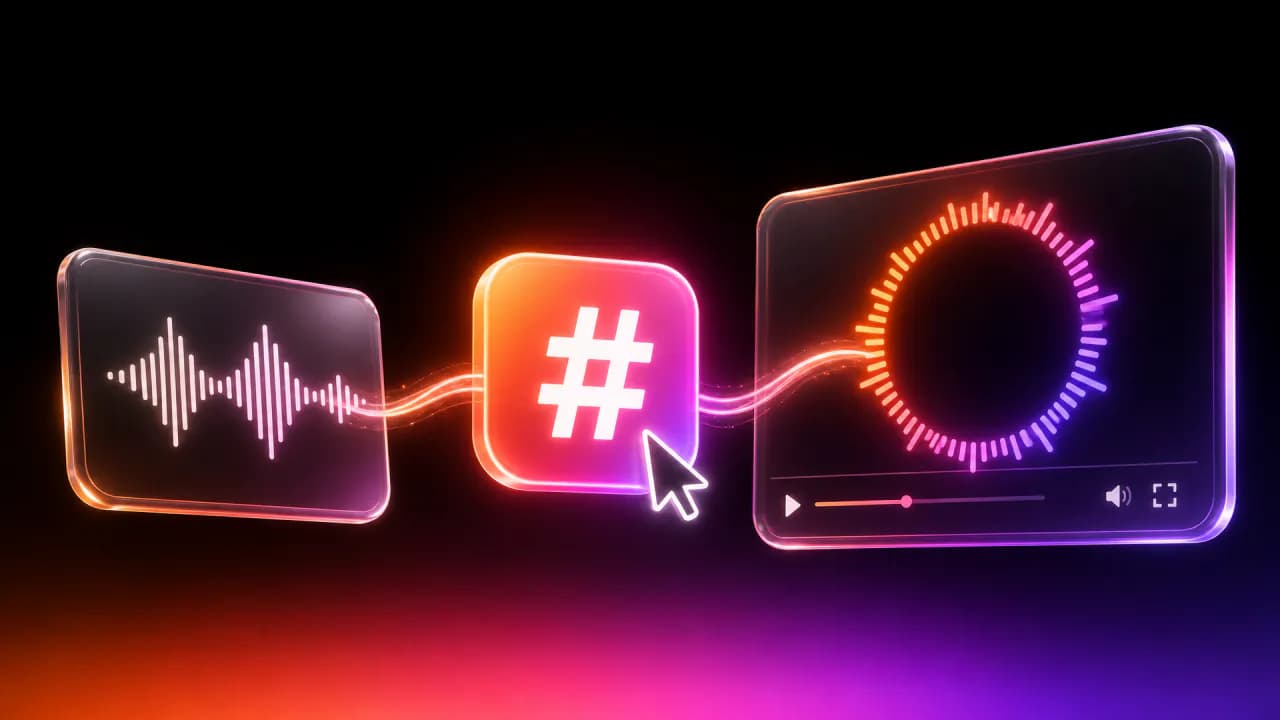
An AI music video generator is a tool that turns an uploaded track — or even a text prompt — into a finished, synced music video automatically, with no editing skills required. You give it a song, pick a style, and it produces visuals that move in time with your music. For musicians and independent artists and labels in 2026, it's the fastest way to get every release onto YouTube, TikTok and Spotify without hiring a video team or learning After Effects.
At Onemaker, we built exactly this: you drop in a track and get back a music visualizer, lyric video or lofi loop, rendered in the cloud from customizable templates. This article explains how the technology works, what you can make, how to do it step by step, and how to choose the right tool.
From Audio to Visuals: What the Technology Actually Does
Under the hood, an AI music video generator does two jobs. First, it listens to your audio — analyzing tempo, beats, amplitude and frequency. Second, it maps that analysis onto motion, so the visuals pulse, shift and animate along with the sound.
The result is a video that feels connected to the music instead of pasted on top of it. A bass hit triggers a flash, a rising synth drives a swell of color, a quiet verse settles into slow drift. That synchronization is what separates a real music video from a static image with a soundtrack.
How AI Music Video Generators Work
Prompts, Audio Reactivity and Beat Sync
There are two main inputs these tools accept. The first is audio reactivity: the generator analyzes your track and animates graphics that respond to it. The second is text to video — you describe a scene in a text prompt ("neon city at night, rain, slow zoom") and the tool generates matching frames.
Most quality tools combine both. Beat sync is the feature that ties everything together, locking visual events to the rhythm so cuts, pulses and transitions land on the beat rather than drifting out of time. Good beat sync is the difference between something that looks professional and something that looks like a screensaver.
Amplitude drives intensity, tempo drives pacing, and frequency bands can drive different layers independently — bass on one element, hi-hats on another. When it's dialed in, the video breathes with the song.
Templates vs. Generative Frame-by-Frame Video
There are two broad approaches, and the difference matters for your budget and your brand.
Generative tools create original frames from a prompt, essentially painting new imagery for every moment of the song. Tools like Kaiber and Neural Frames sit here. The upside is unique, surreal, one-of-a-kind visuals. The trade-offs are cost, render time, and consistency — generative frames can flicker or morph unpredictably across a full track.
Template tools apply reactive graphics, typography and effects over your audio. This is Onemaker's approach: you start from a designed template, then customize it. The upside is speed, predictability and a consistent look you can reuse across an entire release cycle. You know what the output will look like before you render, and it stays on-brand from single to single.
Neither is "better" — generative wins on novelty, templates win on speed and consistency. Many artists use both: generative for a hero video, templates for the steady stream of releases in between.
Types of AI Music Videos You Can Create
Music Visualizers, Lyric Videos and Lofi Loops
These three formats cover almost everything an independent artist needs, and they serve different purposes.
- Music visualizer — abstract or graphic motion (waveforms, particles, geometry, color fields) that reacts to your audio. Best for instrumentals, electronic tracks, and any release where you want mood over message. This is the default "give my song a video" format.
- Lyric video — your words on screen, animated and timed to the vocal. Lyric videos consistently perform on YouTube because fans search for lyrics and sing along. If your track has a hook, a lyric video earns its keep.
- Lofi loop / video loop — a short, seamless clip designed to repeat: a rainy window, a study desk, a slow gradient. Perfect for lofi playlists, live streams, background ambiance and endless-loop YouTube uploads.
The difference in one line: a music visualizer shows the feel of the song, a lyric video shows the words, and a video loop provides an atmospheric backdrop that never has to end.
How to Make an AI Music Video From a Song (Step by Step)
Here's how the process works, whether you use Onemaker or a similar tool. The whole thing takes minutes, not days.
Upload, Choose a Style, Customize and Render
- 1. Upload your track. Drop in an MP3 or WAV. The tool analyzes tempo, beats and amplitude automatically — no manual tapping required.
- 2. Choose a style or template. Pick the format (visualizer, lyric video, lofi loop) and a visual direction that fits your genre. This is where you set the tone.
- 3. Customize. Adjust colors to match your cover art, add your artist name and track title, upload lyrics for timing, and tweak the reactivity so it hits the way you want. Small changes here make the video feel like yours.
- 4. Set your aspect ratio. Choose 16:9 for YouTube, 9:16 for TikTok and Reels, or the vertical/square format for Spotify Canvas. Export the right ratio per platform rather than cropping later.
- 5. Render in the cloud. Hit render and the export happens on remote servers. You come back to a finished file — typically HD 1080p export, with 4K available on paid plans.
The cloud step is quietly the most important. Cloud rendering means you don't need a powerful local GPU, your laptop doesn't grind to a halt, and long tracks export quickly. At Onemaker, we handle rendering server-side specifically so a five-minute track and a thirty-second Canvas clip are both a few clicks away.
Best AI Music Video Generators in 2026
The market has matured. Here's how the main categories break down — the "best" tool depends entirely on what you're making.
Quick Comparison by Use Case
- For unique, generative art videos: Kaiber and Neural Frames generate original frame-by-frame visuals from prompts. Choose these when you want a surreal, one-off hero video and don't mind longer renders or higher cost.
- For fast, consistent, on-brand release videos: Onemaker. We focus on music visualizers, lyric videos and lofi loops from customizable templates, with cloud rendering and platform-ready aspect ratios. Best when you're shipping regularly and want a repeatable look.
- For quick social clips and Canvas: template-based tools with vertical presets get you 9:16 and square exports without extra cropping.
- For lyric videos specifically: look for tools with accurate word-level timing and typography control, since sloppy sync is the fastest way to look amateur.
When you evaluate any AI music video generator, test it on your own track, not the demo song. Demos are cherry-picked. Your genre, tempo and mix will reveal how good the audio analysis and beat sync really are.
Pricing, Licensing and Commercial Use
Watermarks, Resolution and Ownership of Output
Pricing follows a familiar pattern. Free tiers let you try the tool but usually add a watermark and cap resolution, often to 720p or a short clip length. Paid plans remove the watermark and unlock HD / 1080p and 4K export plus commercial licensing.
So, are AI-generated music videos free? Partly. You can almost always make one for free to preview it, but a clean, high-resolution, watermark-free file for release generally requires a paid plan. That's the honest answer.
Licensing has two separate layers, and confusing them causes real problems:
- The video license. The tool grants you rights to the generated video output — check whether the plan includes a royalty-free or commercial license. This covers the visuals only.
- The music rights. The tool does not license your song. You must confirm you hold the rights to the music you upload — because you wrote it, own it, or have permission. Uploading a track you don't control can get the video taken down or claimed regardless of the video license.
So can you use AI music videos commercially on YouTube, TikTok and Spotify? Yes — as long as your plan includes a royalty-free commercial license and you own or license the underlying track. Both boxes have to be checked. For a plain-language primer on how music rights work online, the Copyright Office is a solid starting point.
Choosing the Right Tool for Musicians and Labels
Speed, Consistency and Platform Fit (YouTube, Spotify Canvas, TikTok)
For musicians and independent artists, three factors matter more than raw novelty.
Speed. If a video takes an hour to render and you're releasing monthly, generative flicker will drain your time. Cloud rendering and template systems win here. You want to go from finished master to uploaded video the same day.
Consistency. Labels especially need a recognizable look across a roster and a release cycle. Templates let you lock brand colors, fonts and motion so every single, every remix, every teaser feels like part of the same world. Purely generative output is harder to keep on-brand.
Platform fit. This is where aspect ratio becomes non-negotiable:
- YouTube — 16:9 for main uploads, 9:16 for Shorts.
- TikTok / Reels — 9:16 vertical, designed for sound-on, fast-scroll feeds.
- Spotify Canvas — a short looping vertical clip on your track's page; keep it simple and loopable.
A good tool exports each ratio natively so you're not cropping a horizontal video into a vertical box and losing half the frame. At Onemaker, we build per-platform exports in from the start, so one track becomes a YouTube visualizer, a TikTok teaser and a Canvas loop without redoing the work.
Common Limitations and How to Work Around Them
AI music video generators are powerful, not magic. Knowing the limits saves frustration.
- Generative flicker and drift. Frame-by-frame text to video tools can morph inconsistently. Workaround: use them for short hero moments, or choose template-based reactivity for full-length tracks.
- Lyric timing errors. Automatic transcription and timing can miss words. Workaround: paste in accurate lyrics and nudge the timing manually — most tools let you.
- Generic-looking results. Default settings look default. Workaround: always customize colors to your cover art and add your name and title so it reads as your release.
- Resolution caps on free tiers. Workaround: preview free, then upgrade only when you're ready to export the real file in HD 1080p.
- Beat sync missing on unusual tempos. Ambient, rubato or tempo-shifting tracks confuse beat detection. Workaround: lean on amplitude-driven reactivity instead of strict beat sync, or pick a template that flows rather than cuts.
- Rights confusion. Workaround: keep proof you own or licensed every track you upload, and read the video license before you publish commercially.
None of these are dealbreakers — they're just the reasons to test on your own material before committing to a release.
Frequently Asked Questions
What is an AI music video generator and how does it work? It's a tool that turns an uploaded song or text prompt into a synced video automatically. It analyzes the audio's tempo, beats and amplitude, then generates or animates visuals that react to the sound, and renders the finished video — usually in the cloud.
How do I make an AI music video from my own song? Upload your track, choose a style or template (visualizer, lyric video or loop), customize colors and text, set your aspect ratio for the target platform, then render. On Onemaker the whole flow takes a few minutes.
What are the best AI music video generators in 2026? For unique generative art, Kaiber and Neural Frames lead. For fast, consistent, on-brand release videos and platform-ready exports, Onemaker. The best choice depends on whether you value novelty or a repeatable workflow.
Are AI-generated music videos free, and do they add watermarks? You can usually make one free to preview, but free tiers add watermarks and cap resolution. Paid plans remove the watermark and unlock HD / 1080p and 4K export plus a commercial license.
Can I use AI music videos commercially on YouTube, TikTok and Spotify? Yes — if your plan includes a royalty-free commercial license and you own or have licensed the underlying music. The tool licenses the video it generates, not your song.
What's the difference between a music visualizer, a lyric video and a video loop? A music visualizer shows abstract, audio-reactive motion; a lyric video puts your timed words on screen; a video loop (like a lofi loop) is a short, seamless clip built to repeat as a backdrop.
Conclusion: Turning Tracks Into Video at Scale
Every release now needs video. A YouTube upload, a TikTok teaser, a Spotify Canvas — that used to mean a budget and a timeline most independent artists didn't have. An AI music video generator collapses that into an upload, a few clicks and a cloud render.
The winning approach for 2026 is simple: use generative text to video tools when you want a one-off statement piece, and use template-based, audio-reactive tools when you want speed, consistency and a video for every track. Confirm your music rights, pick the plan with the royalty-free commercial license and HD 1080p export you need, and export the right aspect ratio per platform.
At Onemaker, that's the whole point — turning your tracks into music visualizers, lyric videos and lofi loops at the pace you actually release, so nothing goes out without video again. Upload a song and see what your next release looks like.
Onemaker Team
Making video creation effortless — templates, tools and guides from the Onemaker studio.